
This article was medically reviewed by Samuel Longman. He is a HCPC-registered audiologist and owner of Alresford Hearing Studio.
We’ve all had that moment—reaching for the remote, bumping up the volume just a bit more… and suddenly wondering, “Is this too loud?” If you’ve ever asked yourself, “What’s the best TV volume for normal hearing?” you’re not alone. Whether you’re trying not to disturb others, protect your hearing, or just find that sweet spot for clear sound, the answer is more important than most people realize.
TV volume isn’t just a matter of preference—it’s a matter of health and communication. Cranking the volume too high over time can lead to gradual hearing damage, while listening too low might cause you to miss important dialogue and strain your ears unnecessarily. And here’s the kicker: most TVs don’t even display sound levels in decibels, so how do you know what’s “normal”?
In this article, we’ll decode the ideal TV volume range for normal hearing, explore what factors might affect your preferred setting, and share expert-approved tips to make your audio experience healthier and more enjoyable. Whether you’re watching the news, bingeing a drama, or cheering on your favorite team, we’ve got your ears covered.
If you are listening to the TV too loud, you may have hearing loss. You can book a free, no obligation hearing test with one of our recommended audiologists by clicking here.
What’s the Best TV Volume for Normal Hearing?
Ask five people what their “normal” TV volume is, and you’ll probably get five different answers. That’s because most televisions display volume in arbitrary numbers—like 1 to 100—rather than decibels (dB), the unit used to measure actual sound intensity. So what is the ideal volume for normal hearing? The answer lies in understanding what’s safe, comfortable, and clear—without risking long-term hearing harm.
Recommended Decibel Range for TV Viewing
According to audiologists and hearing health experts, the optimal TV listening volume for someone with normal hearing typically falls between 60 and 70 decibels. That’s roughly equivalent to a normal conversation or background office noise.
To put it in perspective:
- 50 dB = Quiet conversation at home
- 60 dB = Normal speech level
- 70 dB = Vacuum cleaner from a few feet away
- 85 dB+ = Start of potential hearing damage with prolonged exposure
If your TV consistently creeps above 75 dB, you could be entering the danger zone—especially with prolonged or daily exposure. Since most TVs don’t display dB levels, try using a free decibel meter app on your smartphone. Sit at your normal viewing distance and measure the volume. If it regularly hits 75 dB or more, it’s worth dialing it back.

How Volume Settings Vary Across Devices and Environments
It’s important to remember that a volume setting of “20” on one TV doesn’t equal “20” on another. The size and type of TV, its built-in speakers, and your room’s acoustics can all influence how loud the sound actually is.
For example:
- A small flat-screen in a quiet bedroom might sound fine at volume 12
- A large living room TV in a noisy household might require volume 30 or higher
- Streaming apps (like Netflix or YouTube) might play quieter than cable channels
That’s why it’s less about the number and more about the decibel level and your comfort. If you’re leaning forward to hear dialogue, or you constantly feel the need to “blast” sound to catch every word, your setup might need a tweak—not just more volume.
Signs Your TV Volume Might Be Too Loud
Sometimes, the signs that your TV volume is too loud aren’t on the screen—they’re in your body, your behavior, and even how others react around you. If you regularly reach for the remote to crank the sound up, or if your neighbors complain about the noise, it might be time to reassess your settings. Over time, watching TV at excessive volumes can do real damage—even if it doesn’t feel uncomfortable in the moment.
Physical Symptoms and Behavioral Red Flags
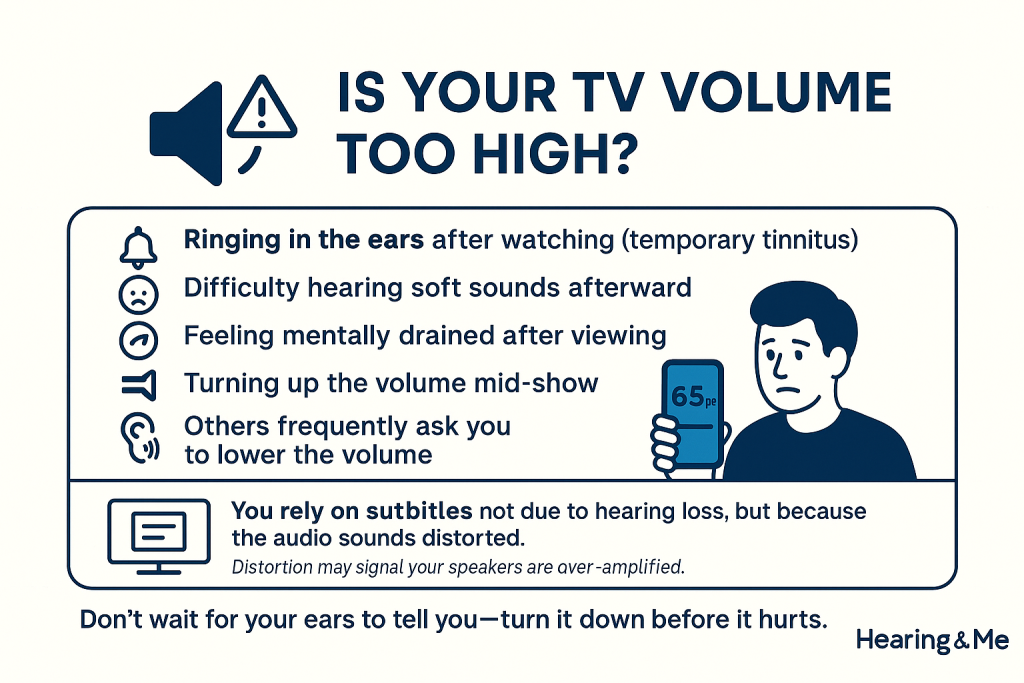
Here are a few telltale signs that your TV might be set louder than what’s healthy for normal hearing:
- Ringing in the ears after watching (a sign of temporary tinnitus)
- Difficulty hearing soft sounds afterward
- Feeling fatigued or mentally drained after long viewing sessions
- Turning up the volume mid-show because you “can’t quite hear” (a sign of auditory fatigue or poor speaker quality)
- Housemates or family members constantly asking you to turn it down
Another overlooked sign is needing subtitles, not because you’re hard of hearing—but because the audio sounds distorted or over-amplified. That distortion could mean your speakers are being pushed beyond their clarity threshold.
The Risk of Gradual Hearing Damage at Home
One of the biggest misconceptions about hearing loss is that it only comes from concerts or noisy workplaces. In truth, prolonged exposure to loud TV volume—even in your living room—can lead to noise-induced hearing loss (NIHL). This type of damage occurs over time and is often permanent.
Watching TV for 2–3 hours a day at levels above 75–80 dB is enough to put stress on your ears. And because this damage builds slowly, many people don’t notice until they start having trouble following conversations or hearing in noisy environments.
If you find that your preferred TV volume is creeping up over time, it could be your ears adjusting to the damage—not an improvement in sound quality. That’s why it’s so important to stay mindful and proactive.
The next time you watch, pay attention to how your ears feel afterward. Are you reaching for silence? That’s your body asking for a break.
Factors That Affect Your Ideal Listening Volume
So you’ve checked your TV’s sound level, and it still doesn’t feel quite right. The truth is, finding the best TV volume for normal hearing isn’t just about a number—it’s about context. Several subtle factors can shape how sound is heard and perceived in your space, and recognizing them can make all the difference.
Room Acoustics, TV Size, and Speaker Placement
Room acoustics are one of the most overlooked influences on how loud or soft your TV seems. Hard surfaces like tile, bare walls, and high ceilings can cause sound to bounce and echo—making it harder to hear speech clearly. On the flip side, carpets, curtains, and soft furniture absorb sound, sometimes dulling the audio and prompting you to increase the volume.
TV size and placement also matter. A larger TV with poor internal speakers placed far from your seating area might force you to raise the volume just to catch the dialogue. Wall-mounted TVs that aren’t aligned with ear level can distort sound direction, making it harder to hear certain frequencies clearly—especially speech tones.
Speaker placement is equally key. If your speakers are located behind furniture, pointed away from your ears, or are unbalanced left to right, it can lead to uneven volume, sound distortion, or the feeling that you need to “blast it” just to understand what’s happening.
Personal Sensitivity and Ambient Noise
Even with perfect room conditions, everyone hears differently. Some people are more sensitive to high-pitched sounds, while others struggle with bass-heavy audio. Factors like age, earwax buildup, sinus issues, or even a recent cold can all affect how you hear in a given moment.
And don’t underestimate the power of ambient noise. Dishwashers, fans, street sounds, or other conversations in the room can compete with your TV’s audio. You may instinctively turn up the volume to compensate—even when it’s already loud enough for your ears in a quiet room.
The solution? Consider using a sound meter app to test your volume under different conditions. Adjust your seating, optimize speaker direction, and minimize background noise. Sometimes the best fix isn’t turning the volume up—it’s adjusting your environment so you don’t need to.
Tips to Optimize TV Audio Without Cranking the Volume
If you find yourself constantly reaching for the remote to turn up the volume, you’re not alone—but there are smarter solutions than simply making things louder. Modern technology and a few simple tweaks can vastly improve audio clarity, letting you hear more without blasting the TV. Let’s explore how to optimize your setup and preserve your hearing in the process.
Soundbar and Speaker Setup Hacks
Built-in TV speakers often sound flat or tinny, especially on thinner modern TVs. Adding an external soundbar or speaker system can dramatically enhance clarity and bass response—especially for voices and music.
To get the most from your audio setup:
- Place your speakers or soundbar at ear level for more direct sound.
- Avoid tucking speakers behind furniture or mounting them too high.
- Center the sound if possible. Some TVs and soundbars allow you to boost the center channel—where most dialogue happens.
If you’re already using external audio and still struggle to hear clearly, double-check your audio settings. Many systems include “dialogue enhancement” or “speech clarity” modes that boost vocal frequencies without raising the overall volume.
Closed Captions, EQ Settings, and Audio Enhancements
Closed captions are one of the simplest ways to enhance understanding without increasing volume. They’re especially useful for fast-paced dialogue, heavy accents, or late-night watching when you want to keep the noise down.
Explore your TV’s equalizer (EQ) settings. Many modern sets let you customize sound by boosting midrange frequencies (where human speech lives) or reducing background noise. Try these presets:
- “Voice” or “Dialogue” Mode – for clearer conversations
- “Night” Mode – to compress loud sounds and amplify quiet ones
- “Clear Sound” or “Enhanced Speech” – if available on streaming services or smart TVs
You can also explore wireless TV headphones, which allow you to listen at your preferred volume without disturbing others. Some even come with hearing-assist technology or personalized EQ settings.
Bottom line? There are countless ways to get crisp, balanced sound without inching toward unsafe volume levels. You just need the right tools—and a little fine-tuning.
TV Volume and Hearing Health: What Audiologists Recommend
You might think, “It’s just TV—how much harm could it really do?” But audiologists will tell you: prolonged exposure to high volume, even from your favorite sitcoms, can silently chip away at your hearing health over time. The good news? A few smart habits can help you enjoy your shows while keeping your ears protected for the long run.
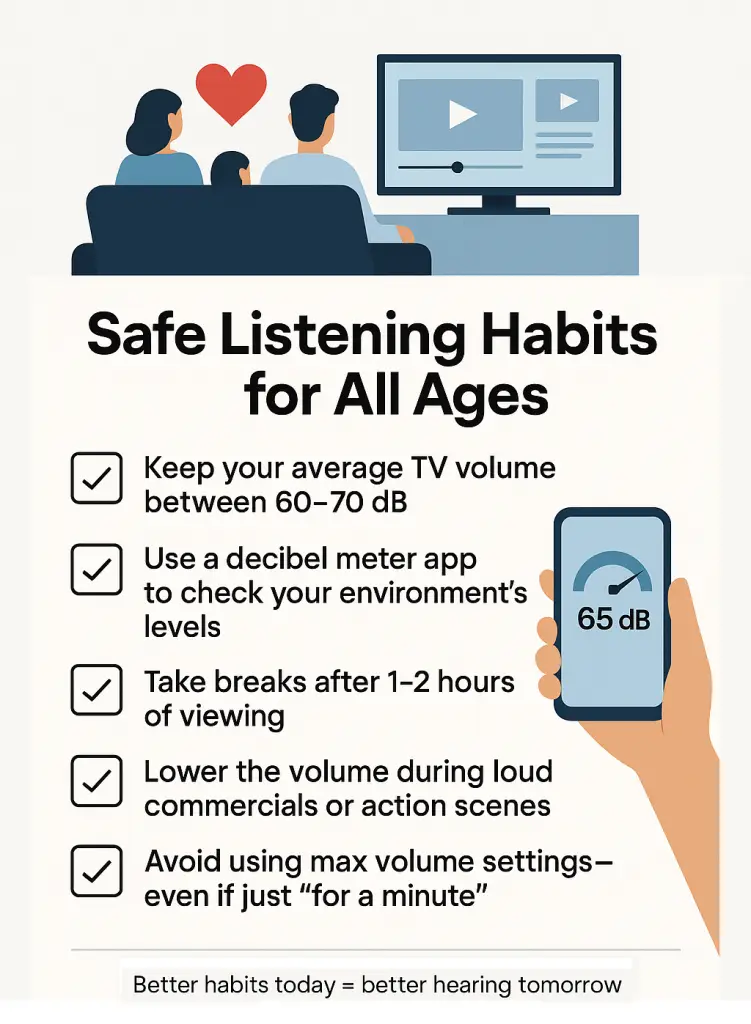
Safe Listening Habits for All Ages
According to the World Health Organization (WHO) and most hearing health professionals, the magic number to remember is 85 decibels (dB). That’s the upper limit of safe listening for extended periods (about 8 hours). But many TVs—especially when paired with poor speakers or ambient noise—can exceed this threshold without us even noticing.
Here’s what audiologists recommend:
- Keep your average TV volume between 60–70 dB
- Use a decibel meter app to check your environment’s levels
- Take breaks after 1–2 hours of viewing
- Lower the volume during loud commercials or action scenes
- Avoid using max volume settings—even if just “for a minute”
Even children and teens, who may have sharper hearing, are not immune. In fact, their ears are more vulnerable to noise-induced hearing loss. Be especially mindful if kids are watching with you—what’s “normal” for you may be harmful to them.
Monitoring Volume for Kids and Older Adults
Children may not recognize when sound is too loud, while older adults may turn up the volume to compensate for age-related hearing loss. Both situations require a little extra care.
For families with multiple generations under one roof, consider:
- Using volume-limiting headphones for kids
- Setting volume limits directly in the TV’s settings menu
- Encouraging older adults to get a hearing check if they always ask to raise the volume
- Setting up personal audio amplifiers or hearing-friendly remotes that allow individual control without affecting others
Remember: it’s easier to protect hearing now than to try and recover it later. And with today’s tech, hearing-safe TV watching doesn’t mean compromising on sound quality.
Conclusion: Tuning into Better Hearing Habits
Your TV should entertain you, not harm you—and finding the right volume plays a major role in keeping that balance. Whether you’re watching a late-night documentary or a high-action thriller, maintaining a safe and comfortable volume helps protect your hearing for the long haul.
We often underestimate the cumulative effect of sound. A few extra clicks on the remote might not seem like a big deal today—but over time, it can impact your ears more than you realize. Thankfully, with a little awareness, the right tools, and some simple changes, you can enjoy crystal-clear sound without cranking it up.
Remember:
- Aim for 60–70 dB as your baseline
- Pay attention to how your ears feel after watching
- Make use of EQ settings, soundbars, or closed captions
- Consider the impact on others—especially children or older adults
Being mindful of your volume is more than just considerate—it’s an act of self-care. So the next time you hit play, take a moment to check the sound. Your ears will thank you—not just today, but for years to come.
If you do have the TV volume turned up too loud, you might have hearing loss. You can find out with a free, no obligation hearing test. Click here to find out more.
Frequently Asked Questions
What decibel level is safe for watching TV?
Audiologists recommend keeping your TV volume around 60–70 decibels for safe and comfortable listening. This is roughly equivalent to a normal conversation. Prolonged listening above 75–80 dB can lead to gradual hearing damage over time.
Should everyone use the same volume setting?
Not necessarily. People have different sensitivities to sound based on age, hearing ability, room acoustics, and speaker quality. However, it’s important that your chosen volume feels clear without discomfort or fatigue, and ideally stays within safe decibel levels.
Can loud TV affect your hearing long-term?
Yes. Noise-induced hearing loss (NIHL) can result from long-term exposure to high volumes—even from your TV at home. If you regularly watch at high levels for extended periods, you could unknowingly be putting your ears at risk.
How do I know if my TV is too loud for others?
Watch for signs like housemates or neighbors asking you to turn it down, people leaving the room, or anyone appearing uncomfortable. You can also use a decibel meter to check if your setup exceeds safe limits—especially at night or in shared living spaces.
What volume level do audiologists recommend?
Generally, audiologists suggest keeping your TV at no more than 70 dB, particularly if you’re watching for multiple hours. If you have to turn it louder to hear dialogue, it may be time to adjust your audio settings—or consider a hearing check.
Is it better to use headphones or TV speakers?
It depends. Headphones can deliver clearer, personalized sound—great for late-night watching or noisy environments. However, be mindful of volume, as they can get dangerously loud quickly. TV speakers are safer for group viewing, but quality varies. External soundbars or audio systems are often the best of both worlds.
Disclaimer
This article is for informational purposes only and is not a substitute for professional medical advice, diagnosis, or treatment. If you are concerned about your hearing or ear health, please consult a qualified healthcare provider.
About the reviewer
This article was medically checked by Samuel Longman. He is a HCPC registered audiologist and owner of Alresford Hearing Studio.